

Microsoft 365 has become the backbone of productivity for small and medium enterprises (SMEs) in Australia. From cloud-based collaboration to secure document management, Microsoft 365 offers a comprehensive suite of tools that can help growing businesses thrive. However, managing Microsoft 365 licences for small business Australia can be challenging without a structured approach. Poor licence management can lead to overspending, compliance risks, and inefficiencies in adding or removing users.
This guide explores best practices for managing Microsoft 365 licences, including licence optimisation, subscription management, compliance, governance, and the benefits of partnering with a Cloud Solution Provider (CSP).
Why Proper Microsoft 365 Licence Management Matters for SMEs
Managing Microsoft 365 licences effectively is not just about saving costs. It is also about ensuring your business operates efficiently while remaining compliant with Microsoft licensing rules.
Preventing Overspending
SMEs often pay for licences they do not fully utilise. Regular monitoring and optimisation ensure you only pay for the licences your team needs. Licence optimisation can result in substantial Microsoft 365 cost savings over time.
Ensuring Compliance
Microsoft requires businesses to comply with licensing rules. A proper licence management process ensures your SME is compliant, avoiding potential penalties or audits.
Streamlining User Management
As SMEs grow, employees join or leave the business frequently. Efficiently adding or removing users ensures licences are assigned correctly, avoiding wasted costs and security gaps.
Key Steps to Manage Microsoft 365 Licences Effectively
To manage Microsoft 365 licences efficiently, SMEs should follow a structured process covering audits, subscription management, and user management.
Conducting a Licence Audit
A licence audit helps SMEs understand their current Microsoft 365 usage and identify optimisation opportunities. A regular licence audit ensures businesses maintain compliance, identify underused licences, and plan for future growth.
Subscription Management and Optimisation
Subscription management involves tracking licence renewals, aligning plan features with business needs, and optimising for cost efficiency. Tools like Microsoft 365 Admin Center can help automate reporting and highlight unused licences.
Adding and Removing Users Efficiently
SMEs must have a clear process for onboarding and offboarding users. Prompt removal of departing employees avoids unnecessary licence costs and protects business data. Similarly, assigning the right licence type to new hires ensures access to needed tools without overspending.
Cost Management and Optimisation Strategies
Reducing costs while maximising productivity is a key goal for SMEs managing Microsoft 365 licences.
Identifying Redundant Licences
Analyse licence usage regularly to identify users who do not require certain features. This allows you to downgrade or reassign licences without impacting business operations.
Choosing the Right Plan
Microsoft 365 offers a variety of licence plans. Selecting the appropriate plan for each user role ensures you only pay for the features your team needs.
Achieving Microsoft 365 Cost Savings
By combining licence audits, subscription management, and role-based licensing, SMEs can achieve significant cost savings while maintaining full functionality.
Governance and Compliance Best Practices
Effective governance ensures that Microsoft 365 licences are managed securely, efficiently, and in line with compliance requirements.
Establishing Microsoft 365 Governance Policies
Policies should cover licence allocation, user onboarding/offboarding, and access controls. Governance helps prevent misuse and ensures consistent processes across the organisation.
Monitoring User Activity and Licence Usage
Regular monitoring identifies unusual activity, inactive accounts, and underutilised licences. Automation tools can generate reports and provide insights to make informed decisions.
Maintaining Compliance with Licensing Rules
Microsoft audits can be triggered at any time. Maintaining proper documentation, conducting periodic audits, and following governance policies ensures compliance and reduces audit risks.
The Benefits of Working with a CSP Partner
Partnering with a Cloud Solution Provider (CSP) brings multiple advantages for SMEs managing Microsoft 365 licences.
Access to Expert Guidance
CSP partners provide expert advice on licence optimisation, subscription planning, and compliance. They help SMEs navigate complex licensing structures, interpret Microsoft’s constantly evolving policies, and choose the most cost-effective solutions for their specific needs. This guidance can save businesses significant time and reduce the risk of errors, ensuring licences are assigned correctly and efficiently. In addition, CSPs often offer proactive recommendations for future growth, helping SMEs plan ahead and avoid unnecessary costs.
Flexible Licence Management
CSPs enable SMEs to easily add or remove licences, upgrade plans, and adjust subscription terms to align with business growth. This flexibility is especially useful for rapidly expanding teams, seasonal staff, or businesses with fluctuating workloads. By providing the ability to scale licences up or down quickly, CSP partners ensure that organisations are not overpaying for unused licences while still maintaining access to essential Microsoft 365 features.
Maximising ROI
With expert guidance and proactive management, SMEs can achieve maximum return on investment from their Microsoft 365 subscriptions. CSPs help identify underutilised licences, optimise plans, and implement governance practices that enhance productivity and reduce waste. Over time, this structured approach not only saves money but also ensures that your Microsoft 365 environment fully supports business objectives, improving collaboration, security, and overall operational efficiency.
Tools and Tips for Effective Licence Management
Several tools and strategies can help SMEs manage Microsoft 365 licences efficiently:
- Microsoft 365 Admin Center : Track licence assignments, user activity, and compliance reports.
- PowerShell Scripts : Automate licence assignment and removal for large teams.
- Regular Reviews : Schedule quarterly licence audits to identify optimisation opportunities.
- Internal Documentation : Maintain records of licence allocation and renewal dates.
By combining these tools with clear policies, SMEs can save time, reduce costs, and improve compliance.
For more insights on protecting your Microsoft 365 environment, check out our guide on securing Microsoft 365 for Melbourne businesses .
Conclusion
Managing Microsoft 365 licences for growing SMEs in Australia requires careful planning, regular audits, and effective governance. Licence optimisation, subscription management, and working with a CSP partner can help your business achieve cost savings, maintain compliance, and streamline user management.
At ITswitch , we help SMEs manage Microsoft 365 efficiently, ensuring your licences align with business growth and regulatory requirements.
Contact us to learn how we can optimise your Microsoft 365 subscriptions and support your SME’s digital transformation.
Frequently Asked Questions
Q2: What is the importance of licence audits?
A: Licence audits identify underused or redundant licences, maintain compliance, and help SMEs reduce costs.
Q3: How do I manage adding and removing users efficiently?
A: Establish a clear onboarding/offboarding process, assign licences based on role requirements, and promptly remove departing users.
Q4: How does a CSP partner help with licence management?
A: CSP partners provide expert advice, flexible subscription management, cost optimisation, and proactive compliance support.
Q5: Can proper Microsoft 365 governance reduce costs?
A: Yes, governance ensures licences are allocated efficiently, underused licences are removed, and subscription plans match business needs, leading to cost savings.
Latest Blog

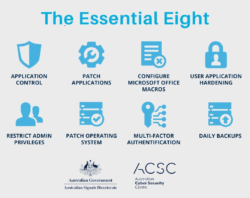
What Is the Essential Eight & Why Australian Businesses Can’t Ignore It in 2026

How Managed IT Services Melbourne Boost SMB Productivity

How Microsoft Teams Voice Integration Improves SMB Communication in Melbourne

Secure IT Asset Relocation: Best Practices for Businesses