

IT Office relocation checklist Australia organisations rely on is a structured approach to safeguarding business operations during an office move. Relocating IT infrastructure involves more than transporting equipment. It requires careful planning to protect systems, maintain data integrity, and ensure employees can resume work with minimal disruption.
Across Australian workplaces, office relocations commonly involve moving servers, updating network cabling, protecting sensitive data, and maintaining compliance obligations. Without preparation, businesses risk extended downtime, equipment damage, and data loss.
This guide explains how to prepare, relocate, and validate IT infrastructure safely and efficiently.
Why an IT-focused relocation plan matters?
Office relocation introduces operational and technical risk. Servers, storage systems, network hardware, and user devices must be relocated without compromising performance or security. In addition to physical movement, systems must be prepared for environmental changes, connectivity adjustments, and infrastructure compatibility at the new location. Without structured preparation, organisations may experience configuration conflicts, delayed system availability, or unexpected integration issues that disrupt normal operations.
A structured IT office relocation checklist Australia businesses can follow helps ensure:
- Continuity of operations
- Protection of critical business data
- Reduced service interruption
- Clear accountability
- Regulatory compliance
- Efficient system restoration
Relocation planning is a risk management process that supports operational stability before, during, and after the move. It provides clear sequencing of technical tasks, defines responsibilities, and establishes verification procedures to confirm systems function as intended in the new environment.
The 10-point IT checklist before relocating your office
1. Timeline planning
Timeline planning ensures each stage of the relocation is coordinated and predictable.
Key considerations
- Identify critical systems and dependencies
- Schedule relocation during low operational periods
- Coordinate with internet service providers
- Define preparation, relocation, and restoration phases
- Allocate time for post-move testing
Structured scheduling supports effective downtime minimisation and reduces unexpected disruption.
2. Hardware inventory
A complete hardware inventory ensures all equipment is accounted for and correctly configured after relocation.
Equipment to document
- Servers and storage devices
- Network switches and firewalls
- Desktop computers and laptops
- Printers and specialised devices
- Security infrastructure
- Software licensing hardware
Each asset should include serial number, configuration, assigned user, and destination location.
3. Data backup before move
Data backup before move protects business information from relocation-related risk.
Recommended approach
- Perform full system backups
- Maintain redundant offsite backups
- Verify backup integrity through testing
- Document recovery procedures
- Protect encryption credentials
Backup validation is essential. A backup that cannot be restored does not provide protection.
4. Moving servers safely
Moving servers requires controlled handling and documented procedures.
Recommended practices
- Conduct planned system shutdown
- Label cables and connections
- Record rack configuration
- Use anti-static and shock-resistant packaging
- Maintain stable transport conditions
Proper preparation reduces configuration errors during reinstallation.
5. Network cabling strategy
Network cabling should be designed for the new workspace before relocation occurs.
Planning steps
- Assess infrastructure requirements
- Define workstation layout
- Install structured cabling
- Confirm bandwidth capability
- Activate internet services prior to move
Pre-installed and tested cabling supports faster operational recovery.
6. Compliance when relocating
Compliance when relocating ensures data and equipment handling meets regulatory expectations.
Areas to review
- Data protection responsibilities
- Secure transport of storage media
- Access control implementation
- Asset disposal obligations
- Documentation retention
Organisations must maintain control of sensitive information throughout the relocation process.
7. User communication
User communication helps employees prepare for relocation and reduces operational confusion.
Information to provide
- Relocation timeline
- Expected downtime windows
- Equipment handling instructions
- Access procedures for new premises
- Technical support contacts
Clear communication supports productivity and reduces support demand.
8. Downtime minimisation
Downtime minimisation focuses on maintaining access to critical systems wherever possible.
Strategies include
- Phased infrastructure relocation
- Temporary remote access capability
- Backup connectivity options
- Preconfigured hardware deployment
The objective is controlled, predictable service interruption.
9. Hardware disposal
Hardware disposal must be conducted securely and responsibly.
Disposal process
- Identify obsolete equipment
- Securely erase storage devices
- Follow environmental disposal standards
- Maintain asset disposal records
Responsible disposal protects data confidentiality and supports compliance.
10. Post-move testing
Post-move testing confirms operational readiness at the new location.
Systems to validate
- Network connectivity and performance
- Server functionality
- Security controls
- User authentication
- Backup processes
Testing should be completed before normal operations fully resume.
Office relocation IT planning table
| Phase | Key Actions | Purpose | Risk Reduced |
| Preparation | Hardware inventory, data backup before move, timeline planning | Establish readiness | Data loss |
| Infrastructure setup | Network cabling, connectivity validation | Enable operational environment | Network failure |
| Relocation | Moving servers, secure transport | Protect equipment | Hardware damage |
| Transition | User communication, downtime minimisation | Maintain productivity | Operational disruption |
| Verification | Post-move testing, compliance review | Confirm stability | Hidden faults |
Common risks and mitigation strategies
Data loss
Caused by equipment damage or incomplete backup processes. Physical movement, transport vibration, or improper shutdown procedures can compromise storage devices and lead to corrupted files.
Mitigation requires verified redundant backups and documented recovery procedures. Backups should be tested prior to relocation to confirm successful restoration capability.
Extended downtime
Occurs when infrastructure is not ready at the new site. Delays in connectivity activation, incomplete network cabling, or unavailable power configuration can prevent systems from operating as scheduled.
Mitigation includes pre-installed connectivity and structured timeline planning. Contingency arrangements such as temporary remote access can further reduce operational disruption.
Configuration inconsistencies
Result from undocumented system setups. Missing network mappings, unlabelled connections, or unrecorded configurations can delay reinstallation and system validation.
Mitigation involves comprehensive documentation and labelled connections. Maintaining configuration records ensures faster restoration and reduces troubleshooting time.
Compliance exposure
Arises from improper data handling or disposal. Sensitive information may be compromised if storage devices are transported or discarded without appropriate safeguards.
Mitigation includes secure transport and documented asset management. Maintaining audit records supports accountability and demonstrates adherence to regulatory obligations.
Example relocation timeline
Four weeks before relocation
- Complete hardware inventory
- Assess infrastructure requirements
- Begin data backup before move
- Plan network cabling
Two weeks before relocation
- Confirm connectivity installation
- Test backup restoration
- Notify staff of relocation schedule
One week before relocation
- Finalise equipment labelling
- Review compliance requirements
- Confirm transport arrangements
Relocation day
- Execute planned shutdown
- Perform moving servers procedure
- Transport equipment securely
After relocation
- Install infrastructure
- Conduct post-move testing
- Verify user access
- Monitor system stability
Conclusion
A structured office relocation IT checklist Australia businesses implement supports continuity, protects information, and reduces relocation risk. Effective preparation includes infrastructure planning, secure data handling, user communication, and comprehensive post-move validation.
For organisations seeking structured guidance aligned with Australian operational requirements, support is available through
GenTec IT,
For assistance with planning a secure office move,
contact us
.
Frequently asked questions
Q2: How can organisations reduce relocation risk?
Through timeline planning, hardware inventory, and verified data backup before move.
Q3: Why is post-move testing necessary?
It confirms infrastructure stability and identifies issues before full operational resumption.
Q4: What does compliance when relocating involve?
Secure data handling, controlled equipment transport, and responsible hardware disposal.
Latest Blog

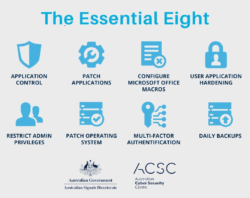
What Is the Essential Eight & Why Australian Businesses Can’t Ignore It in 2026

How Managed IT Services Melbourne Boost SMB Productivity

How Microsoft Teams Voice Integration Improves SMB Communication in Melbourne

Secure IT Asset Relocation: Best Practices for Businesses